AI English copy & SEO
Rewrites Korean titles and descriptions into English tuned for Shopee search. High-search-volume words go first — brand, then product type, then features — to boost visibility.
Collect a product with one click, let AI handle English copy, pricing, and category matching, then bulk-list it to all 8 Shopee countries at once.
Start without a card · cancel anytime
Built to fix the problems I hit selling on Shopee myself.
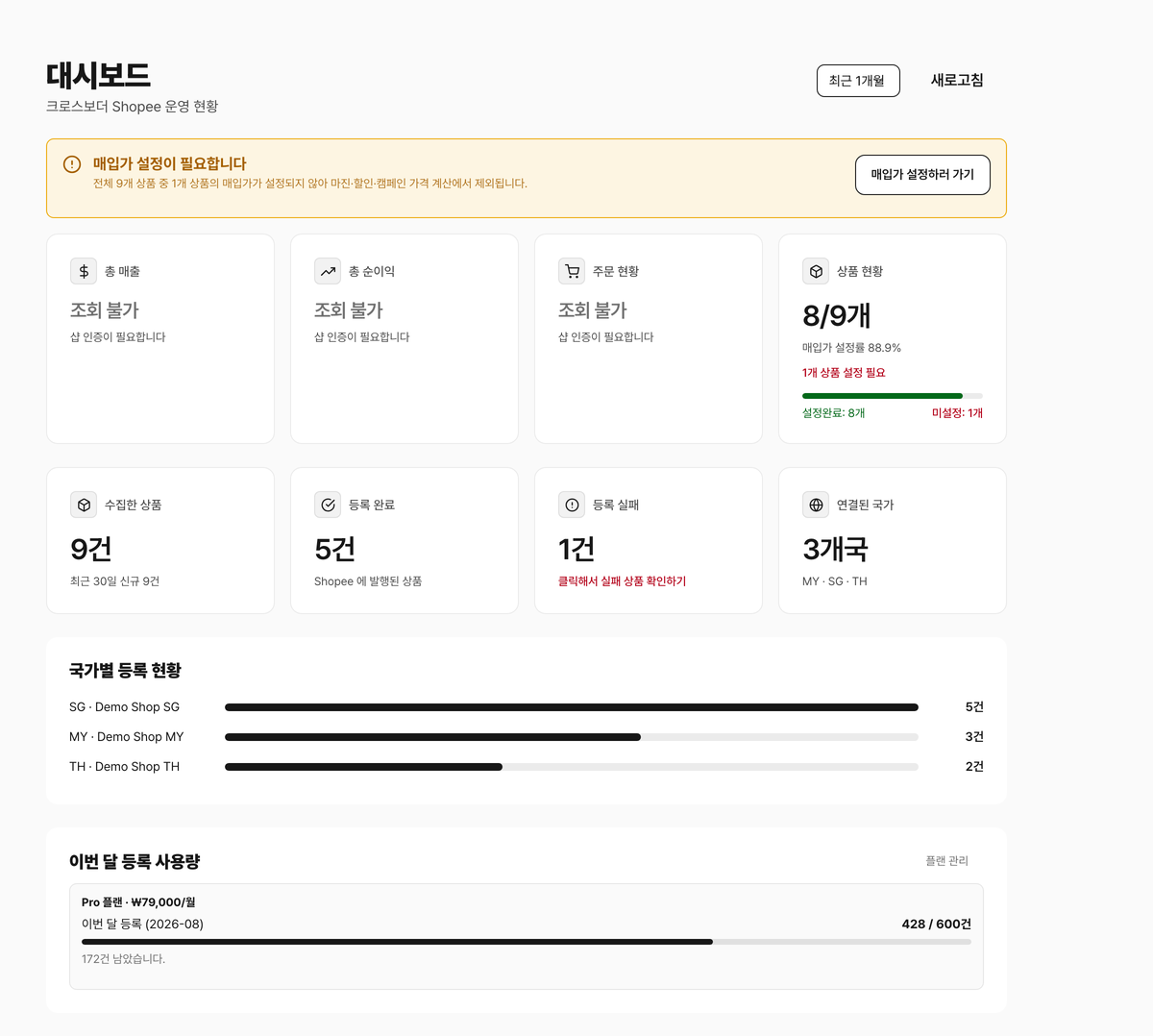
In cross-border selling, the real time sink isn't sourcing — it's retyping the same product once per country.
"Now I have to do this product for the 8th country…"
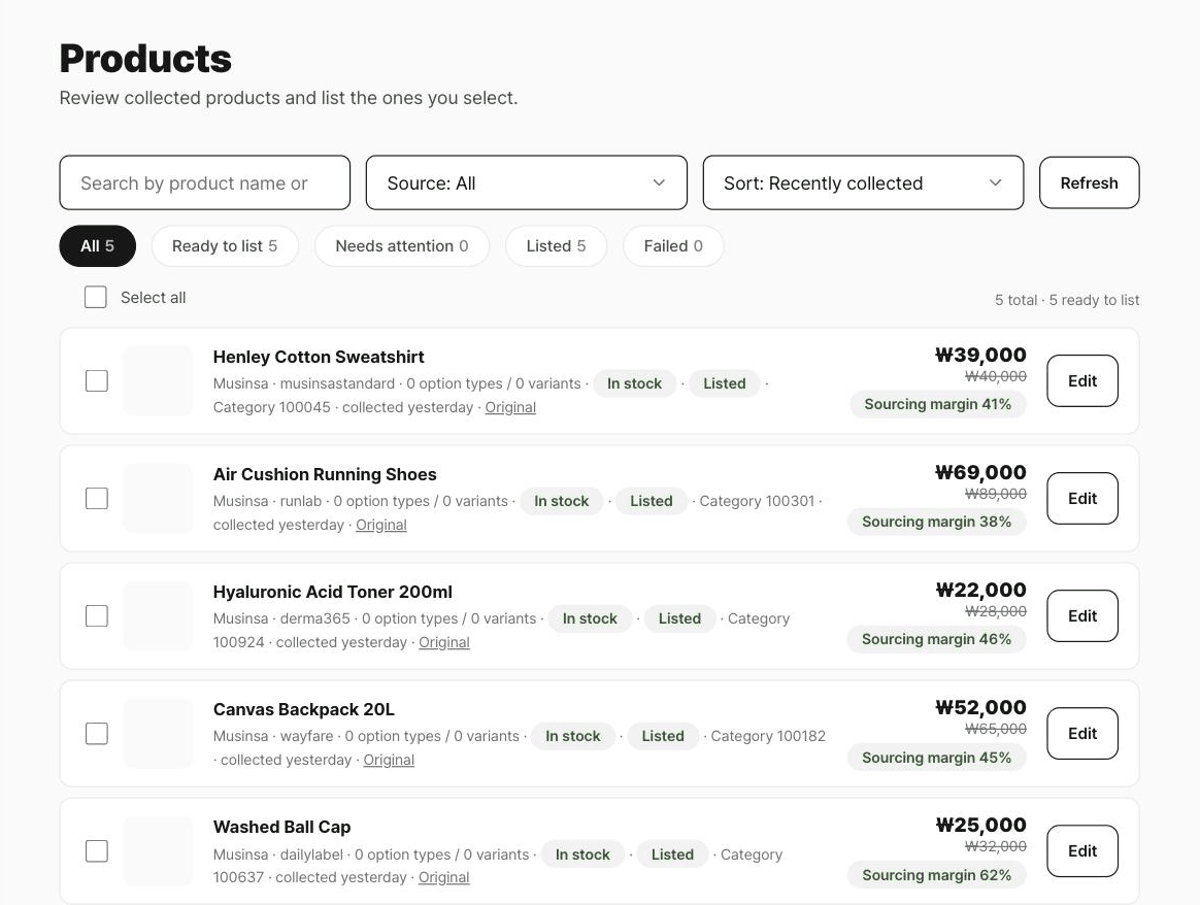
Press collect on a product page and the name, price, images, and variants come across as-is. You can also pull many product links at once from a listing page.
Check the AI-written English title and description, per-country prices, and suggested category, then fix only what you need. Click any image to exclude it.
Choose the products and countries, press list, and the rest runs in the background. Per-product progress shows right in the list.
One click on the collect button pulls a product from Musinsa, Coupang, Naver, Olive Young and 20+ other stores. Setup takes about a minute.
Chrome · Edge · Listed on the Chrome Web Store · connects automatically once installed
No more jumping between a translator, a currency converter, and spreadsheets.
Rewrites Korean titles and descriptions into English tuned for Shopee search. High-search-volume words go first — brand, then product type, then features — to boost visibility.
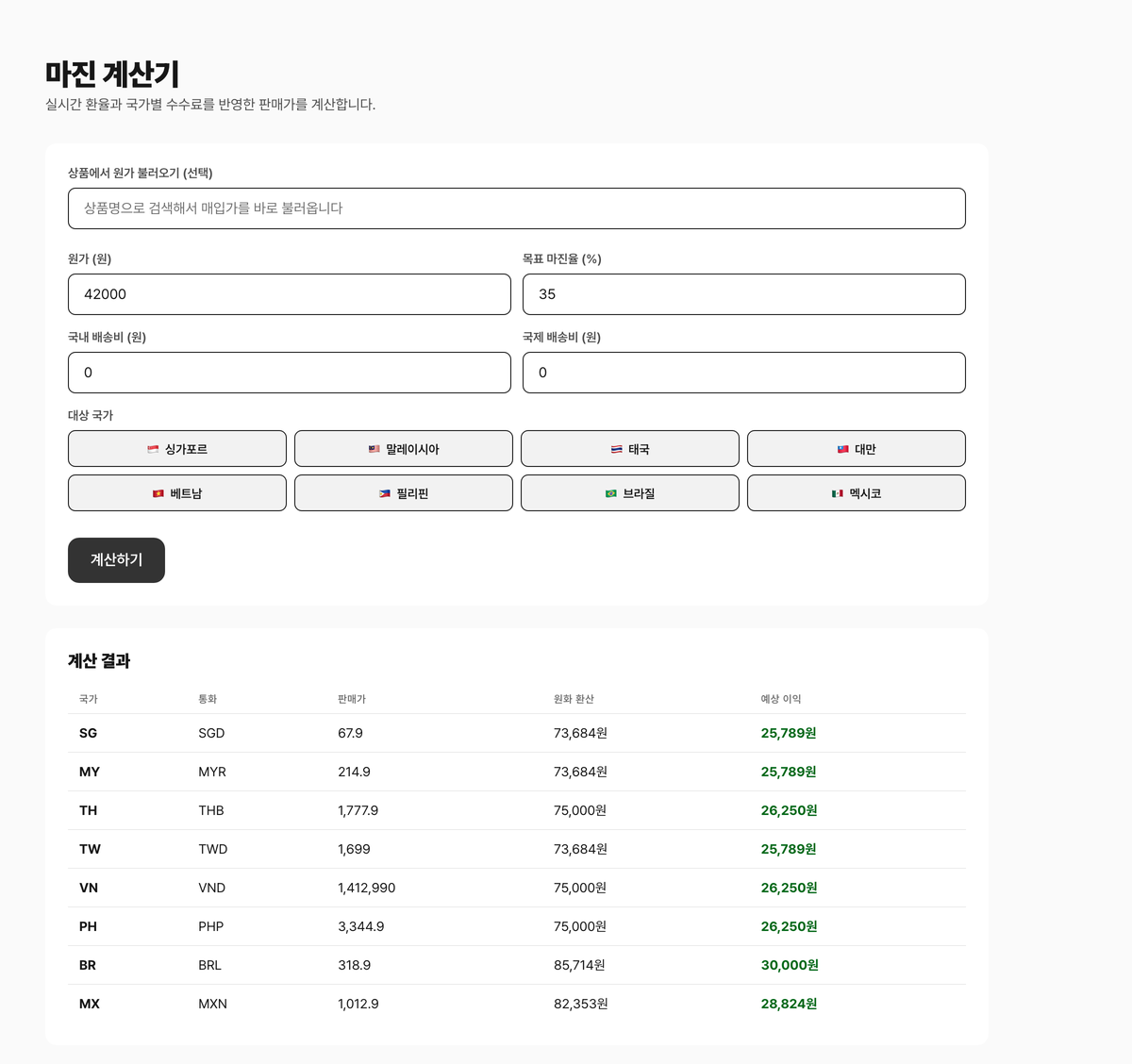
Calculate estimated selling prices for your target margin using purchase cost, shipping, country fees and exchange rates. Verify actual profit against order settlements.
Picks the Shopee category from the product name automatically. Want a different one? Search and change it.
Before listing, the name and description are checked against each country's prohibited item and ingredient keywords, so you catch rejections in advance.
Upload images and product data once and it lists to all 8 Shopee country shops at the same time. No re-entering per country.
Musinsa, Naver Smart Store, Coupang, Gmarket, and Olive Young — plus AliExpress, Taobao, and 1688 — all collected the same way.
Collecting and AI processing are unlimited on every plan. See the results first, then pick a plan based on how much you actually list to Shopee.
Free
Try it before you decide
Free
Starter
For solo sellers just starting out
₩39,000 / month
ProRecommended
For scaling up volume
₩79,000 / month
Business
High volume · teams
₩159,000 / month
All prices include VAT · cancel anytime · no contract
Collecting, editing, and price calculation all work without a Shopee account. Actually listing products requires connecting a Shopee seller account.
Musinsa, Naver Smart Store and Brand Store, Coupang, Gmarket, 11st, Auction, Olive Young, Kurly, SSG, Lotte On, Ohou, Daiso Mall, Homeplus, Tmon, and Wemakeprice, plus AliExpress, Taobao, 1688, and Temu. Sites without a dedicated parser usually still work if they expose standard product data.
Page structures differ by marketplace, so some variants or description parts can come through empty. That's why a human review step before listing is mandatory — the editor shows the original and the AI output side by side.
No. It's a first-pass screen against commonly flagged item and ingredient keywords drawn from each country's regulators. It does not guarantee legal compliance — always check Shopee Seller Centre's official prohibited-item guidance as well.
Two ways: connect with just a Shopee login, or enter a Partner API key you issued yourself. Choose either on the [Shopee shops] screen in the app.
Payments are processed by Paddle. The free plan needs no payment details, and refunds can be requested under the stated policy. For details see the Refund Policy.
You keep access through the period you already paid for. Products already listed on Shopee stay in your seller account.
No sign-up needed. Fees, pricing, and prohibited items in one place.
Learn how to log in to Korea Seller Centre (KRSC), troubleshoot access, set the market exchange rate, turn off Price only, and prepare equal-margin automatic pricing by market.
Enter cost and billable weight to compare reference prices and estimated margins after international shipping across eight markets. Includes shipping costs by weight.
Commission and payment fees for all 8 countries, broken down as 12.41%–24.98% of the selling price — and why the lowest-fee country isn't actually the best once shipping is counted.
Prohibited and restricted items across 8 countries, grouped by severity (banned, certification required, no air shipping). Check any product name instantly.
The full flow for collecting and translating products from Musinsa and other Korean marketplaces and listing them to 8 Shopee countries — from seller registration to pricing and prohibited-item checks.
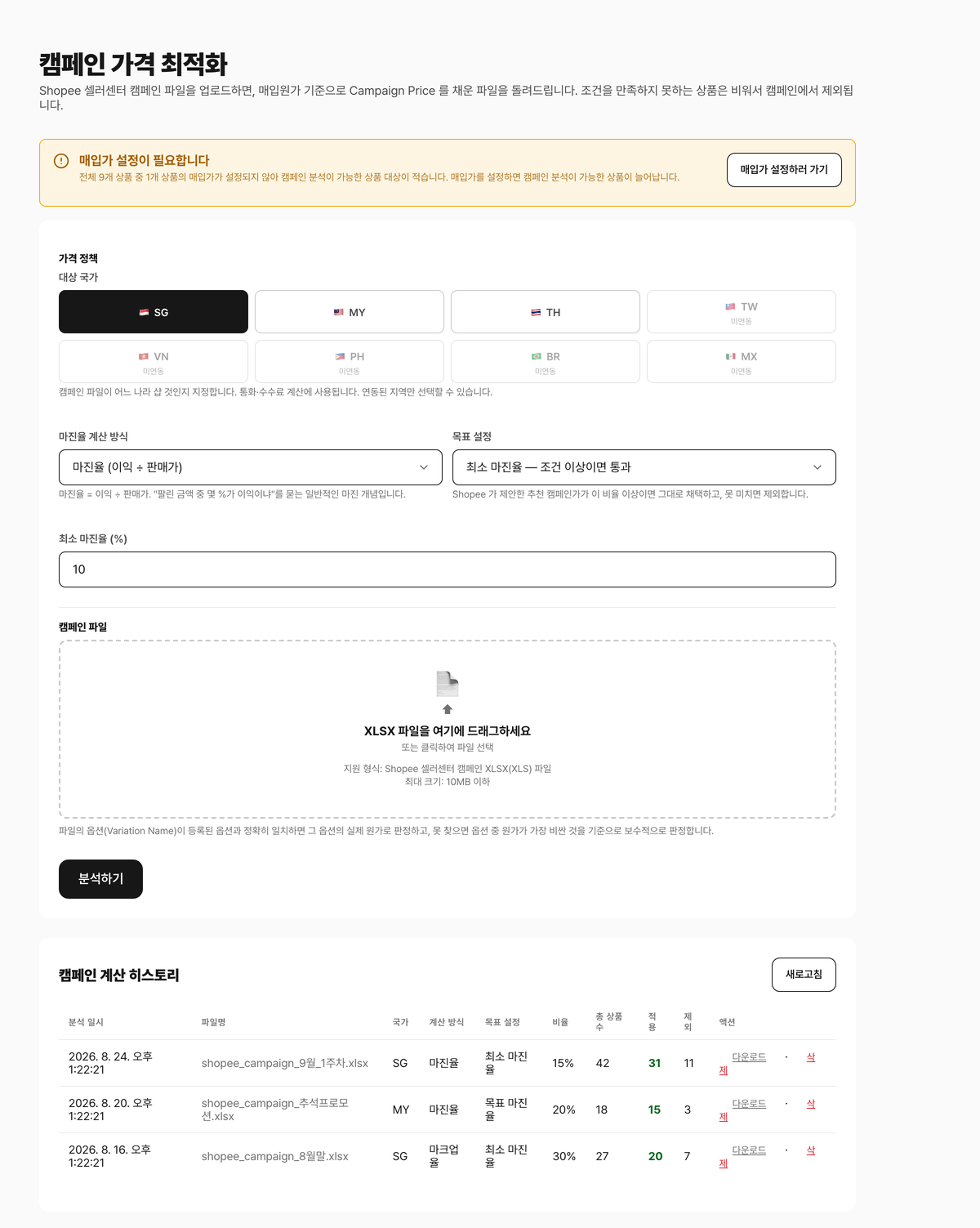
Shopee doesn't use the price you enter — it recalculates from your market exchange rate, fees, and international shipping. The formula, verified against live listings in 6 countries, and why your target margin drifts.
How to register as a cross-border seller on the Korea Seller Centre (KRSC): local vs. cross-border sellers, what to prepare, entering business details, connecting a payout account, and listing your first product after approval.
Send goods to a domestic drop-off point and Shopee Logistics (SLS) handles the international leg. How chargeable weight is worked out from actual vs. volumetric weight, and how the shipping fee is deducted at payout.
Sales proceeds reach your local bank account through a payment provider such as Payoneer or PingPong. Payout cycles, held funds, withdrawal and FX fees, and how to work out what you actually receive against the selling price.
Start free — no card required.